

“This post includes affiliate links, which help support my site! If you decide to purchase something after clicking one, I’ll receive a commission, but the price you pay stays exactly the same. Thanks so much for reading and supporting the blog!”

Unlocking the World: A Comprehensive Review of TranslatePress
Table of Contents
ToggleIntroduction: A World of Possibilities
In the ever-expanding universe of the internet, the ability to communicate in multiple languages can be a game-changer. For businesses, bloggers, and content creators, reaching a global audience is not just an aspiration but a necessity. Enter TranslatePress, a WordPress plugin designed to simplify the process of making your website multilingual. This tool is not just about translating words; it’s about breaking down barriers and making your content accessible to everyone, regardless of their language.
TranslatePress is a versatile and user-friendly plugin that allows website owners to translate their sites directly from the front-end. This means you can see your changes in real-time, which is incredibly handy for those who want to ensure accuracy and consistency. But how does it stack up against the competition? In this detailed review, we’ll explore the features, benefits, and potential drawbacks of using TranslatePress, helping you decide if it’s the right tool for your multilingual needs.

Overview of TranslatePress
What is TranslatePress?
TranslatePress is a powerful WordPress plugin that enables website owners to translate their entire site into multiple languages. Unlike traditional translation tools, TranslatePress offers a visual, front-end interface that allows you to see your translations as you work. This feature is particularly useful for non-technical users who want to ensure their translations look perfect without delving into code. TranslatePress supports both manual and automatic translation options, giving users the flexibility to choose the method that best suits their needs.
Key Features and Benefits
The beauty of TranslatePress lies in its simplicity and efficiency. The plugin supports a wide range of languages, including some less commonly spoken ones, making it ideal for reaching a diverse audience. Key features include:
- Visual Translation Interface: Easily translate any part of your website by simply clicking on the text you want to change. This WYSIWYG (What You See Is What You Get) approach makes the process straightforward and intuitive.
- SEO Optimization: TranslatePress ensures that each language version of your site is optimized for search engines. This includes translating meta descriptions, URLs, and other SEO-critical elements.
- Dynamic Content Translation: Whether it’s forms, widgets, or content generated by other plugins, TranslatePress can handle it all, ensuring a seamless experience for your users
- .Automatic and Manual Translation: The plugin supports automatic translation via Google Translate, which can then be manually refined for accuracy. This dual approach offers both speed and precision.
User Experience
Installation and Setup
Setting up TranslatePress is a breeze, even for those who are new to WordPress. After downloading and activating the plugin, you are greeted with a user-friendly setup wizard. This wizard guides you through the initial steps, such as selecting your default language and adding additional languages. You can also choose to enable or disable automatic translation, depending on your preference. The whole process is quick and painless, taking only a few minutes from start to finish.
User Interface and Design
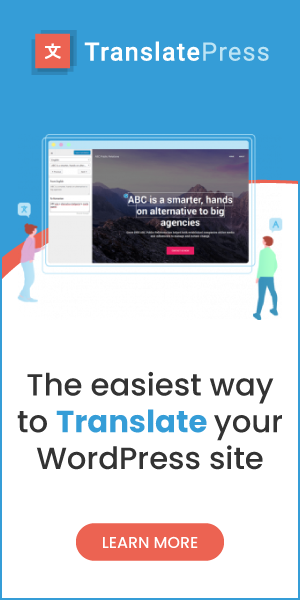
The user interface of TranslatePress is one of its most significant selling points. The front-end visual editor allows you to translate content directly on the page, providing an immediate preview of how the translated text will appear. This feature is not only convenient but also reduces the risk of errors, as you can see the context of each translation. The design is clean and straightforward, with all the necessary tools accessible from a single toolbar.
Performance and Speed
When it comes to performance, TranslatePress excels. The plugin is lightweight, ensuring that it doesn’t slow down your site even with multiple languages enabled. This is crucial because site speed is a significant factor in user experience and SEO. The translations are processed quickly, and the plugin is optimized to work seamlessly with other WordPress plugins and themes, ensuring a smooth, hassle-free experience.
Multilingual Capabilities
Supported Languages and Translation Accuracy
TranslatePress supports a broad spectrum of languages, from widely spoken ones like Spanish, French, and German to less common languages. This wide-ranging support makes it a versatile tool for any website looking to expand its reach. The translation accuracy is impressive, particularly for automatic translations. However, as with any machine translation, there are occasional inaccuracies, especially with idiomatic expressions or industry-specific jargon. That’s where the manual translation feature shines, allowing you to tweak and refine translations to ensure they are contextually accurate.
Automatic vs. Manual Translation
Automatic translation is a great starting point for quickly making your site multilingual. However, it’s not without its pitfalls. Machine translations can sometimes miss the nuances or context of the original text, leading to awkward or incorrect translations. TranslatePress allows you to manually refine these translations, providing a perfect balance between speed and accuracy. This feature is particularly beneficial for businesses that require precise language, such as legal, medical, or technical content.
SEO and Multilingual Content
In the world of digital marketing, SEO is king. TranslatePress recognizes this and offers robust SEO features to ensure your multilingual site ranks well in search engines. The plugin allows you to translate meta descriptions, title tags, and URLs for each language, ensuring that your site is optimized for search engines across all language versions. This feature can significantly enhance your site’s visibility in different markets, driving more organic traffic and increasing your global reach.
Integration and Compatibility
Integration with Other Plugins and Themes
One of the strengths of TranslatePress is its seamless integration with other WordPress plugins and themes. Whether you’re using popular page builders like Elementor or SEO plugins like Yoast, TranslatePress works effortlessly to ensure that all elements of your site are translated accurately. This compatibility extends to various WordPress themes, ensuring that the aesthetic and functionality of your site are preserved across different languages. This means you don’t have to worry about compatibility issues or additional customization, making the translation process smooth and straightforward.
Compatibility with WooCommerce and Other E-commerce Platforms
For e-commerce businesses, providing a localized shopping experience can significantly boost conversions. TranslatePress offers excellent compatibility with WooCommerce, the most popular e-commerce platform on WordPress. This includes translating product pages, category descriptions, checkout pages, and even email notifications. By providing a fully localized shopping experience, you can make your international customers feel right at home, increasing the likelihood of completing a purchase. Additionally, TranslatePress supports other e-commerce platforms and plugins, making it a versatile choice for any online store.
Pricing and Support
Pricing Plans and Features
TranslatePress offers a free version that includes essential features, making it an excellent option for small websites or those just starting with multilingual content. However, for more advanced features, such as automatic user language detection, multiple languages, and additional add-ons, a premium version is available. The premium plans are reasonably priced and offer various tiers to suit different needs and budgets. The plans include Personal, Business, and Developer options, each providing a different level of access to premium features and support.
Customer Support and Community
Customer support is a crucial aspect of any plugin, and TranslatePress delivers in this area as well. The plugin offers a comprehensive knowledge base filled with articles, tutorials, and videos to help users navigate any challenges they might encounter. For those who need more direct assistance, TranslatePress offers email support, with responsive and knowledgeable staff ready to help. Additionally, the TranslatePress community is active and engaged, providing a valuable resource for troubleshooting and sharing best practices.
Pros and Cons
Advantages of TranslatePress
- User-Friendly Interface: The visual translation interface is intuitive and easy to use, even for those with little technical experience.
- SEO-Friendly: The plugin supports comprehensive multilingual SEO, helping your site rank well in search engines across different languages.
- Wide Language Support: With support for a broad range of languages, TranslatePress is suitable for websites targeting diverse audiences.
- Integration and Compatibility: Seamlessly integrates with popular WordPress plugins and themes, including WooCommerce, ensuring a consistent user experience.
- Flexibility in Translation: Offers both automatic and manual translation options, providing a balance between speed and accuracy.
Advantages of TranslatePress
- User-Friendly Interface: The visual translation interface is intuitive and easy to use, even for those with little technical experience.
- SEO-Friendly: The plugin supports comprehensive multilingual SEO, helping your site rank well in search engines across different languages.
- Wide Language Support: With support for a broad range of languages, TranslatePress is suitable for websites targeting diverse audiences.
- Integration and Compatibility: Seamlessly integrates with popular WordPress plugins and themes, including WooCommerce, ensuring a consistent user experience.
- Flexibility in Translation: Offers both automatic and manual translation options, providing a balance between speed and accuracy.
Potential Drawbacks
- Manual Translation Needs: While automatic translation is convenient, it often requires manual adjustments to ensure accuracy, which can be time-consuming.
- Premium Features Cost: Some of the more advanced features are available only in the premium versions, which may not be ideal for smaller websites with limited budgets.
- Learning Curve: Although the interface is user-friendly, there may still be a learning curve for users entirely new to multilingual website management.
What Makes TranslatePress Stand Out?
Unique Features
TranslatePress offers several unique features that set it apart from other translation plugins. The visual translation interface is a standout, allowing users to see their changes in real-time. This feature not only makes the translation process more intuitive but also reduces the likelihood of errors. Another unique aspect is the plugin’s ability to translate dynamic content, ensuring that all parts of your site are accessible to users in their preferred language. Additionally, the comprehensive SEO features make it easier for your multilingual content to rank well in search engines, a crucial factor for driving organic traffic.
User Reviews and Feedback
User reviews for TranslatePress are overwhelmingly positive. Many users highlight the ease of use and the ability to manage translations without needing technical skills. The visual interface is frequently praised for making the translation process straightforward and intuitive. Users also appreciate the plugin’s compatibility with a wide range of plugins and themes, as well as its robust SEO features. While some users note the need for manual translation adjustments, the general consensus is that TranslatePress offers a reliable and user-friendly solution for creating multilingual websites.
Final Thoughts: Bridging the Language Divide
In a digital world that is more interconnected than ever, the ability to communicate in multiple languages is a valuable asset. TranslatePress offers an excellent solution for website owners looking to expand their reach and connect with a global audience. The plugin’s ease of use, comprehensive feature set, and robust SEO support make it a top choice for creating multilingual websites. Whether you’re a blogger, a business owner, or an e-commerce operator, TranslatePress provides the tools you need to break down language barriers and reach a wider audience.
With its visual translation interface, extensive language support, and seamless integration with other plugins and themes, TranslatePress is a versatile and powerful tool. It enables you to provide a localized experience for your users, enhancing their engagement and satisfaction. In the competitive online landscape, standing out often means speaking your audience’s language—literally. TranslatePress makes this not only possible but straightforward and efficient.
Frequently Asked Questions (FAQ)
Q1: Is TranslatePress suitable for beginners?
Absolutely! TranslatePress is designed to be user-friendly, with an intuitive interface that even beginners can navigate easily. The visual translation editor simplifies the process, making it accessible for users with little to no technical experience.
Q2: Can TranslatePress handle complex websites?
Yes, TranslatePress is capable of handling complex websites, including those with dynamic content and extensive e-commerce functionalities. The plugin’s ability to translate elements generated by other plugins and themes ensures that all parts of your site are accessible in multiple languages.
Q3: What languages does TranslatePress support?
TranslatePress supports a wide range of languages, from commonly spoken ones like English, Spanish, and French to less common languages. This extensive support makes it an ideal choice for websites targeting a diverse, global audience.
Q4: Do I need coding skills to use TranslatePress?
No coding skills are required to use TranslatePress. The plugin’s visual translation interface allows you to manage translations directly from the front end, making the process straightforward and intuitive for all users.
Q5: Is there a free version of TranslatePress?
Yes, TranslatePress offers a free version that includes basic features suitable for small websites or those just starting with multilingual content. For more advanced features and functionalities, premium plans are available, offering additional tools and support.
TranslatePress stands out as a user-friendly and efficient solution for creating multilingual websites. Whether you’re new to website management or an experienced developer, this plugin provides the features and flexibility needed to communicate with a global audience. So why wait? Start your multilingual journey with TranslatePress today and unlock a world of possibilities!
