

“This post includes affiliate links, which help support my site! If you decide to purchase something after clicking one, I’ll receive a commission, but the price you pay stays exactly the same. Thanks so much for reading and supporting the blog!”
Posts Table Pro: The Ultimate WordPress Plugin for Organizing Content
Table of Contents
ToggleIntroduction
In today’s digital landscape, managing and showcasing content effectively is crucial for every website owner, whether you’re running a personal blog, a large-scale e-commerce platform, or a portfolio site. Navigating a cluttered site can be frustrating for users, leading to higher bounce rates and lower engagement. What every website needs is a tool that makes it easy for visitors to find exactly what they’re looking for without unnecessary hassle.
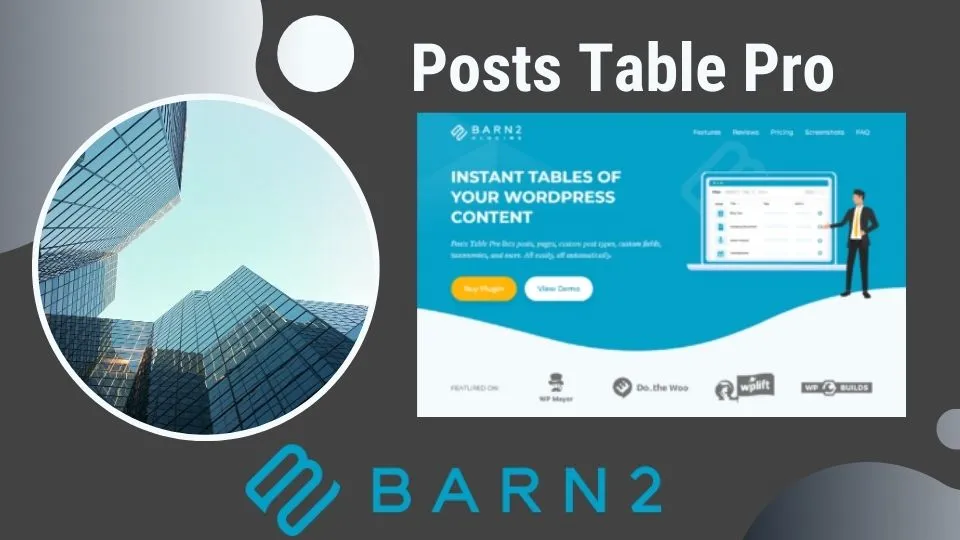
Enter the Posts Table Pro plugin by Barn2 — a powerful WordPress plugin that transforms how content is displayed on your website. This tool is designed to create dynamic, sortable, and filterable tables that present content in a structured, user-friendly way. For WordPress users who need a flexible, efficient way to display various types of content, Posts Table Pro offers a robust solution that enhances user experience and improves site performance.
Whether you’re managing hundreds of blog posts, showcasing a vast product catalog, or simply organizing multimedia files, Posts Table Pro offers the flexibility and functionality you need. This guide will cover everything you need to know about Posts Table Pro: its benefits, key features, a step-by-step guide to using it, and much more. By the end of this article, you’ll understand why Posts Table Pro is the best choice for your WordPress site and how to maximize its potential.

The Benefits of Using Posts Table Pro
The Posts Table Pro plugin is a versatile tool that provides numerous benefits to WordPress site owners. Here are some of the top advantages of using this plugin:
- Enhanced User Experience
One of the biggest challenges for any website is maintaining an intuitive and user-friendly interface. Visitors should be able to find the content they need quickly and effortlessly. With Posts Table Pro, you can present your content in an easily navigable table format, complete with search, sort, and filter options. This streamlined experience helps keep visitors on your site longer, reduces frustration, and increases engagement. - Improved Content Organization
Posts Table Pro allows you to organize content systematically, which is especially useful for sites with large volumes of posts, products, or media files. You can group content by categories, tags, custom taxonomies, or custom fields, making it easier for users to find specific items. This organization not only helps users but also reduces your workload by minimizing the time spent on manually categorizing content. - Customizable and Flexible Design
With Posts Table Pro, you have complete control over the appearance and functionality of your content tables. Customize everything from the columns you display (such as title, date, categories, and tags) to how your table behaves on different devices. This flexibility ensures that your tables align with your website’s aesthetic and functional needs, enhancing the overall brand experience. - SEO Benefits
The plugin’s structured data format helps search engines understand the content on your website better, which can positively impact your search engine rankings. By presenting content in a well-organized, easy-to-read format, Posts Table Pro makes your site more SEO-friendly, potentially boosting visibility and traffic. - Supports Multiple Content Types
Unlike many other plugins, Posts Table Pro isn’t limited to standard blog posts. You can use it to display custom post types, pages, and even media files. This flexibility makes it suitable for various websites, whether you’re showcasing a portfolio, listing WooCommerce products, or creating a directory. - Easy Integration with Other Plugins
Posts Table Pro is designed to integrate seamlessly with many popular WordPress plugins, including WooCommerce, WPML (WordPress Multilingual Plugin), Advanced Custom Fields (ACF), and more. This compatibility ensures that you can expand your site’s functionality without worrying about conflicts or compatibility issues. - Cost and Time Efficiency
Creating dynamic tables manually can be time-consuming and complex, especially for non-developers. Posts Table Pro eliminates this hassle by providing a simple, user-friendly interface that allows you to generate tables with just a few clicks. This automation saves valuable time and resources, allowing you to focus on other important aspects of your website. - Responsive and Mobile-Friendly
The plugin is fully responsive, ensuring that your tables look great on all devices, from desktop computers to smartphones. This feature is crucial in an age where a significant portion of web traffic comes from mobile devices. A mobile-friendly design improves user experience, encourages longer visits, and can lead to higher conversion rates. - Multilingual Support
For sites that cater to a global audience, Posts Table Pro offers multilingual support, working smoothly with translation plugins like WPML. This functionality makes it easier to reach a broader audience by presenting content in multiple languages without the need for separate tables. - Regular Updates and Dedicated Support
The team behind Posts Table Pro regularly updates the plugin to ensure it remains compatible with the latest versions of WordPress and other plugins. Additionally, Barn2 provides excellent customer support to help you resolve any issues or questions.

Understanding Posts Table Pro
To truly understand the value of Posts Table Pro, it’s important to grasp how it functions within the WordPress ecosystem and how it can be adapted to meet various needs.
Posts Table Pro is a premium WordPress plugin created by Barn2. The plugin enables website owners to create dynamic tables that can display a range of content types in a structured, easily navigable format. By using shortcodes, you can embed these tables anywhere on your site — whether on a page, a post, or even in a widget.
The tables created with Posts Table Pro can display:
- Standard posts, pages, and custom post types.
- Media files, such as images, audio, and video.
- Data from third-party plugins, such as WooCommerce products or events from an events management plugin.
Posts Table Pro is especially useful for sites with large amounts of content that need to be displayed efficiently and attractively. It offers a wide range of features and customization options, making it suitable for a variety of use cases, from e-commerce stores to educational resources, directories, and more.
A Step-by-Step Guide to Using Posts Table Pro
Here’s a comprehensive guide to getting started with Posts Table Pro:
- Purchase and Install the Plugin
First, purchase Posts Table Pro from HERE. Once you’ve completed the purchase, you’ll receive a downloadable ZIP file. Log in to your WordPress dashboard, navigate to “Plugins” > “Add New,” and upload the plugin file. Click “Activate” to enable the plugin on your site. - Configure the Plugin Settings
Once activated, go to “Settings” > “Posts Table Pro.” This is where you can customize the plugin’s default settings. You can specify which content types (posts, pages, custom post types) should be displayed in the tables. You can also choose which columns to display, like title, date, author, categories, tags, and any custom fields you may have set up. - Customize Table Appearance and Behavior
Posts Table Pro offers several customization options to ensure your tables align with your site’s design. You can adjust the font, color, and size, and configure how the table behaves on different devices (desktop, tablet, mobile). You can also enable or disable table features like sorting, searching, and filtering. - Generate a Shortcode
The plugin includes a shortcode generator that simplifies the process of creating tables. Go to the page or post where you want to add the table, click on the “Add Table” button in the content editor, and select your desired settings. This will generate a shortcode that you can paste into the content editor to display the table. - Insert the Table and Preview
Paste the shortcode into your page or post editor, then save and preview the changes. Make sure the table looks and functions as expected. Check all filters, sorting options, and search functionalities to ensure they work correctly. - Fine-Tune and Optimize
Optimize your table’s performance by enabling lazy loading and ensuring images are compressed for faster load times. You can use tools like Google PageSpeed Insights to identify any areas for improvement. - Publish and Monitor Performance
Once you’re satisfied with the table’s appearance and functionality, publish the page or post. Use tools like Google Analytics and Search Console to monitor user behavior and traffic. Adjust the table settings based on the data you collect to continuously improve user experience. - Update Regularly
Regularly update your table content and configuration to reflect new content or changes in your site’s structure. Posts Table Pro’s intuitive interface makes it easy to keep your tables up-to-date with minimal effort.

Top Features of Posts Table Pro
The Posts Table Pro plugin is packed with a variety of features designed to provide maximum functionality and flexibility. Here are some of the standout features:
- Column Control
Choose from a variety of columns to display in your table, including title, content, date, author, categories, tags, and custom fields. This feature allows you to create a table that matches the specific needs of your site. - Advanced Search, Sort, and Filter Options
Enhance user experience by allowing visitors to search, sort, and filter content by multiple criteria. This functionality is particularly useful for websites with large volumes of content, like blogs or e-commerce stores. - Lazy Load for Improved Performance
Lazy loading ensures that only the content visible to the user is loaded initially, which significantly reduces load times and improves overall site performance. - Multimedia Support
Display multimedia content like images, videos, and audio files within your tables. Posts Table Pro supports all common file types, ensuring your content is both versatile and visually engaging. - Responsive Design
Tables created with Posts Table Pro are fully responsive, ensuring they display correctly on all devices, from desktops to smartphones. - Shortcode Generator
Create and customize tables quickly using the shortcode generator, which simplifies the process of embedding tables anywhere on your site. - Seamless Integration with Popular Plugins
Posts Table Pro integrates with WooCommerce, WPML, ACF, and other popular WordPress plugins, ensuring compatibility and extending the plugin’s functionality. - Customizable CSS
For advanced users, Posts Table Pro allows custom CSS styling to ensure that tables match the unique design and branding of your website. - Pagination and Lazy Loading Options
Manage large amounts of content without affecting site performance by enabling pagination and lazy loading. This ensures that your site remains fast and responsive even when displaying large tables.
Custom Post Type Support
The plugin supports custom post types, making it ideal for displaying a wide variety of content, from WooCommerce products to portfolio items and events.
Use Cases for Posts Table Pro
Posts Table Pro is incredibly versatile and can be used in a variety of contexts. Here are some popular use cases:
- E-Commerce Stores:
Display WooCommerce products in a table format, allowing customers to easily search, sort, and filter products by categories, price, popularity, or any other criteria. This is particularly useful for wholesale stores, where customers need to view large numbers of products quickly. - Document Libraries:
Create a searchable document library, displaying PDF files, images, or other media types. Users can filter and search for documents by category, type, or other attributes, making it easier to find the information they need. - Directory Websites:
For directory websites, Posts Table Pro can display listings in an organized table format. You can include details like names, addresses, phone numbers, and other relevant information, with filters for location, type, or rating. - Blogs and Content-Rich Websites:
Display blog posts, news articles, or other content in a sortable table format, allowing users to find content by date, category, or tag. - Portfolio Sites:
Showcase your portfolio in a table format, with filters for categories like project type, client, or date. You can also display multimedia content like images and videos directly within the table. - Membership Sites:
Create member directories with searchable and sortable tables that display member profiles, achievements, and other relevant details. - Educational Resources:
For educational websites, display courses, lessons, or learning resources in an easily navigable table format. Include filters for topics, difficulty level, and other attributes.
How Posts Table Pro Enhances SEO
SEO (Search Engine Optimization) is crucial for any website that wants to attract organic traffic. Posts Table Pro can significantly enhance your SEO efforts in several ways:
- Structured Data:
By displaying content in a structured table format, you make it easier for search engines to crawl and understand your site’s content. This structured data can help improve your site’s rankings and increase the likelihood of appearing in rich snippets, enhancing your visibility on search engine results pages (SERPs). - Improved User Experience:
Search engines prioritize sites that offer a great user experience. Posts Table Pro helps reduce bounce rates and increase time on site by making it easier for users to find what they need. This positive user engagement can indirectly boost your SEO rankings. - Faster Load Times:
With features like lazy loading and optimized content display, Posts Table Pro helps reduce page load times. Faster sites are favored by search engines and are more likely to rank higher. - Increased Content Visibility:
By allowing users to filter and sort content, you can ensure that more of your content is seen and engaged with. This can lead to more internal linking opportunities and improved content depth, both of which are positive signals to search engines. - Keyword Optimization:
The plugin enables you to display content based on specific criteria, allowing for better keyword targeting. By strategically placing keywords in your table’s headers and content, you can enhance your SEO efforts.
Comparing Posts Table Pro with Alternative Plugins
There are several plugins available for creating tables in WordPress, but Posts Table Pro stands out for its rich features and flexibility. Here’s how it compares to some popular alternatives:
- TablePress
- Pros: Free and easy to use.
- Cons: Lacks advanced features like lazy loading, multimedia support, and integrations with popular plugins.
- Conclusion: Suitable for simple table needs but doesn’t offer the flexibility or SEO benefits of Posts Table Pro.
- WP Table Builder
- Pros: Offers drag-and-drop functionality for building tables.
- Cons: Limited in terms of integration with custom post types and lacks advanced filtering options.
- Conclusion: Good for basic users but falls short in terms of customization and flexibility.
- Visualizer
- Pros: Focuses on data visualization and chart creation.
- Cons: Not designed for creating dynamic content tables.
- Conclusion: Ideal for sites that need charts or graphs, but not a direct competitor to Posts Table Pro.
- Ninja Tables
- Pros: Provides a range of styling options and basic data management features.
- Cons: Lacks the depth of integration with other plugins and advanced SEO optimization.
- Conclusion: A reasonable choice for creating simple tables, but less powerful than Posts Table Pro for dynamic content display.
In summary, while other plugins may offer some basic table functionality, Posts Table Pro provides a comprehensive suite of features that cater to both novice and advanced users, making it the superior choice for most WordPress websites.
Conclusion
Posts Table Pro is an indispensable tool for any WordPress user looking to display content in an organized, efficient, and visually appealing manner. With its advanced features, flexibility, and ease of use, it is the ideal solution for enhancing user experience, improving site performance, and boosting SEO.
Whether you run an online store, a blog, a directory, or any other content-heavy website, Posts Table Pro can transform the way your content is presented and consumed. Its seamless integration with popular plugins, responsive design, and regular updates make it a reliable choice for websites of all sizes.
Ready to elevate your website’s content display? Click the “Buy Now” button and start exploring the possibilities with Posts Table Pro today!
FAQs
- What is Posts Table Pro?
Posts Table Pro is a WordPress plugin by Barn2 that allows users to create dynamic, sortable, and filterable tables to display various types of content. - How do I install Posts Table Pro?
Purchase the plugin from the Barn2 website, download the ZIP file, and upload it via your WordPress dashboard under “Plugins” > “Add New.” Activate the plugin to start using it. - Can I use Posts Table Pro with WooCommerce?
Yes, Posts Table Pro is fully compatible with WooCommerce, making it ideal for displaying products in a table format with search, sort, and filter options. - Is Posts Table Pro mobile-friendly?
Absolutely! The plugin is fully responsive, ensuring tables look great on all devices, including smartphones and tablets. - Do I need coding skills to use Posts Table Pro?
No coding skills are required. The plugin is designed for users of all skill levels, with an intuitive interface and comprehensive documentation. - Does Posts Table Pro support custom post types?
Yes, Posts Table Pro supports custom post types, making it a versatile choice for displaying different types of content on your WordPress site.
