

“This post includes affiliate links, which help support my site! If you decide to purchase something after clicking one, I’ll receive a commission, but the price you pay stays exactly the same. Thanks so much for reading and supporting the blog!”
Mastering WooCommerce Lead Time: Enhancing Your Online Store’s Efficiency
In the world of eCommerce, efficiency and transparency are key to maintaining customer satisfaction. For WooCommerce store owners, effectively managing customer expectations about product availability and delivery times is essential. This is where WooCommerce lead time comes into play. By providing clear information about the production or delivery times of products, store owners can build trust and improve the overall shopping experience.
In this blog post, we’ll explore the ins and outs of WooCommerce lead time, a game-changing feature for your WooCommerce store, and guide you through the best ways to use it. Whether you’re a small business, an agency, or a larger operation, understanding and optimizing lead times will help streamline your operations and enhance customer satisfaction.
Table of Contents
ToggleQuick Guide to WooCommerce Lead Time
The Pain Points of eCommerce Store Owners
Managing a successful eCommerce business involves multiple moving parts, from inventory management and order fulfillment to customer service and marketing. One major pain point for WooCommerce store owners is the challenge of communicating product availability and delivery times accurately.
Customers expect transparency. When products are out of stock or made-to-order, failing to provide clear and accurate information about production or delivery times can lead to disappointment, negative reviews, and lost sales. This problem is especially pronounced for businesses that sell custom-made products, operate on a backorder system, or deal with suppliers whose stock fluctuates.
Why You Need a WooCommerce Lead Time Plugin
A WooCommerce lead time plugin offers the perfect solution to this problem. With such a tool, you can clearly display the expected time frame for product availability or delivery right on the product page. This level of transparency helps reduce customer inquiries, boost conversions, and set realistic expectations—ultimately improving the customer experience and fostering trust.
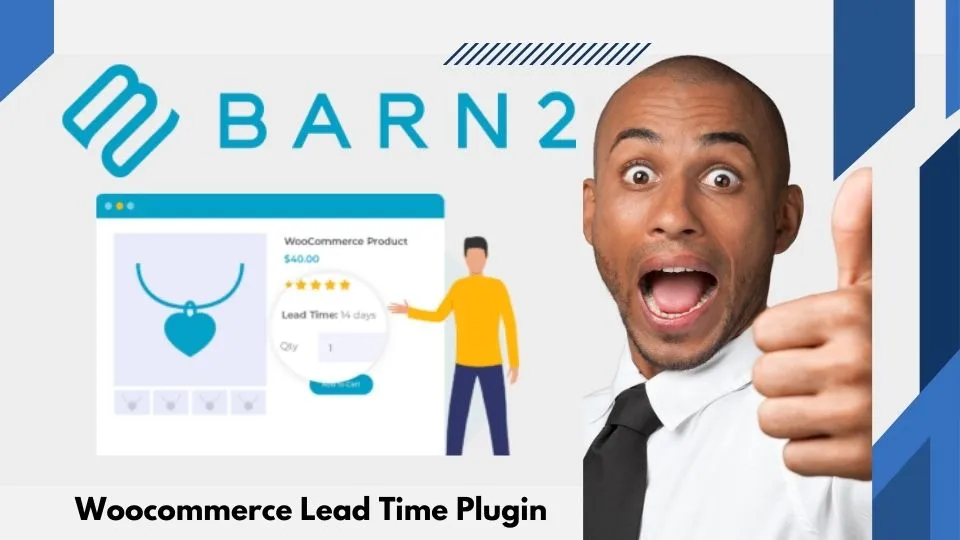
Using a WooCommerce time plugin like Barn2 Plugins’ WooCommerce Lead Time plugin allows you to easily add lead times to products that are out of stock, made-to-order, or available on backorder. With this feature, you can set specific delivery dates or provide estimated production times, helping customers make informed purchasing decisions. In this guide, we’ll cover the advantages of implementing WooCommerce lead time and how to use it to streamline your eCommerce operations.
What This Post Will Cover
In the sections that follow, we’ll take an in-depth look at:
- The advantages of using a WooCommerce lead time plugin.
- The basics of WooCommerce lead time and how it integrates with WordPress.
- Best practices for setting up and optimizing WooCommerce lead time.
- Must-know features of WooCommerce lead time, including practical tips.
- How incorporating lead times can benefit your business.
- A detailed FAQ to address any questions you may have about using WooCommerce lead time.
Let’s dive in!
Advantages of WooCommerce Lead Time
- Transparency and Trust with Customers
One of the primary reasons to implement WooCommerce lead time is the transparency it brings to your online store. Customers appreciate being informed about when to expect their products, whether it’s a few days or a few weeks. This openness fosters trust and loyalty, which are crucial for building long-term customer relationships. By displaying clear lead times, you reduce uncertainty and prevent negative experiences that could lead to lost sales or poor reviews.
- Reduced Customer Inquiries
When customers are unsure about product availability or delivery dates, they’re more likely to reach out with questions. This adds to your customer service workload, which can become overwhelming for businesses with limited resources. By displaying accurate lead times on product pages, you provide customers with the information they need upfront, significantly reducing the number of inquiries related to shipping or availability.
- Higher Conversion Rates
When shoppers know exactly when they can expect their orders, they’re more likely to complete their purchases. WooCommerce lead time helps eliminate hesitation by providing transparency, which can lead to higher conversion rates. Customers are more willing to purchase products that are out of stock or made-to-order when they have a clear understanding of the expected delivery time.
- Enhanced Inventory Management
Managing inventory is one of the biggest challenges for eCommerce store owners. By displaying lead times, you can better manage stock levels and reduce the risk of overselling products that are out of stock. WooCommerce lead time also allows you to display specific lead times for different variations of a product, ensuring that your inventory information is accurate and up-to-date.
- Streamlined Communication
Using a WooCommerce time plugin can help streamline communication between your business and your customers. When you set clear expectations for lead times, you minimize the need for follow-up emails or phone calls about order statuses. This allows you to focus on other important aspects of your business, such as marketing and product development.
- Competitive Advantage
In today’s crowded eCommerce landscape, standing out from competitors is essential. Offering transparent lead times can set your business apart by showing that you value your customers’ time and are committed to providing an excellent shopping experience. Many businesses neglect to provide this information, so implementing lead times gives you a competitive edge.
The Basics of WooCommerce Lead Time
What is WooCommerce Lead Time?
WooCommerce lead time refers to the amount of time it takes for a product to be available for shipping or delivery after an order is placed. It can apply to products that are out of stock, made-to-order, or available on backorder. For businesses with longer production or shipping times, displaying lead times on product pages helps manage customer expectations.
How WooCommerce Lead Time Works
WooCommerce lead time can be easily managed using plugins such as the Barn2 Plugins WooCommerce Lead Time tool. This plugin allows you to add custom lead times to individual products, product categories, or even specific product variations. Once installed, you can display lead times in a customizable format on your product pages, ensuring customers know exactly when they can expect their items.
Integrating WooCommerce Lead Time with WordPress
WooCommerce lead time integrates seamlessly with WordPress and WooCommerce, making it easy for store owners to implement without technical expertise. The plugin is designed to work with any WooCommerce theme, so you don’t have to worry about compatibility issues. It also integrates with other popular WooCommerce extensions, such as WooCommerce Subscriptions and WooCommerce Bookings, giving you more flexibility in how you manage product availability.
Compatibility with Different ESPs
WooCommerce lead time plugins, like the one offered by Barn2 Plugins, are compatible with a wide range of email service providers (ESPs) and other third-party tools. This ensures that any automated communication you have set up (e.g., email notifications about shipping updates) can easily incorporate the lead time information, keeping your customers in the loop throughout the purchasing process.
Best Ways to Use WooCommerce Lead Time
Setting Up WooCommerce Lead Time
The first step in using WooCommerce lead time is to install and configure the plugin. Once installed, navigate to the plugin’s settings page to customize how lead times are displayed. You can choose to display lead times on all product pages or only for specific categories, such as made-to-order or backordered items.
The plugin also allows you to set global lead times for your entire store or assign individual lead times for each product or product variation. For example, if you sell custom t-shirts, you can set a 2-week lead time for all custom orders, while keeping ready-to-ship items with no lead time.
Creating Subscription Forms
If you operate a business that sells made-to-order or backordered products, it’s important to collect customer contact information so you can keep them updated on their order status. Creating subscription forms that integrate with your WooCommerce lead time plugin is an excellent way to manage this communication.
Use a plugin like Barn2 Plugins’ WooCommerce Lead Time to add a subscription form directly on the product page. This allows customers to sign up for updates if the product is currently out of stock or has a longer lead time. You can also use this form to notify customers when items are back in stock, further enhancing the customer experience.
Segmenting Your Audience
Another powerful way to use WooCommerce lead time is by segmenting your audience based on their lead time preferences. For example, some customers may prefer to wait for a custom-made item, while others may want ready-to-ship products. By segmenting your audience, you can create personalized marketing campaigns that target each group with relevant product recommendations and promotions.
For instance, you can send tailored emails to customers who have purchased made-to-order items, reminding them of the production timeline and offering similar products with similar lead times.
Must-Know Features of WooCommerce Lead Time
- Custom Lead Times for Different Products
With WooCommerce Lead Time plugins, you can assign custom lead times for individual products or variations. This feature is especially useful if you sell a mix of ready-to-ship, out-of-stock, and made-to-order items. Customers will appreciate the clear communication on when to expect their items.
- Global Lead Time Settings
For store owners who want to apply a single lead time across their entire store, global settings are available. This allows you to set a default lead time that applies to all products, saving you time and ensuring consistency.
- Customizable Display Formats
The way you display lead times on your product pages can significantly impact customer experience. WooCommerce lead time plugins allow you to customize how lead times are presented, including the format (e.g., “Ships in 3-5 days” or “Available in 2 weeks”). You can also choose where the lead time information appears on the product page, ensuring it is highly visible to your customers.
- Lead Times for Backordered Products
If you frequently deal with backordered products, the WooCommerce lead time plugin allows you to display specific lead times for these items. This ensures customers are aware of the delay and can make informed purchasing decisions.
- Lead Times for Product Variations
For stores that offer different product variations (e.g., size, color), you can assign unique lead times to each variation. This feature is particularly useful if some variations are in stock while others need to be custom-made or backordered.
- Stock and Lead Time Notifications
Some WooCommerce lead time plugins integrate with email marketing tools to send automatic notifications to customers when the lead time for a product changes. This keeps customers informed and helps manage their expectations throughout the order process.
- Shortcode Compatibility
For advanced users, WooCommerce lead time plugins often support shortcodes, allowing you to display lead times in custom locations throughout your website, such as on category pages or in product widgets.
- Integration with WooCommerce Subscriptions
For subscription-based businesses, WooCommerce lead time can be integrated with the WooCommerce Subscriptions plugin to display lead times for recurring shipments. This is especially useful for businesses that offer subscription boxes or monthly product deliveries.
What Does WooCommerce Lead Time Gain for Me?
Here are six key gains:
- Improved Customer Satisfaction: Clear lead times manage expectations, reducing the likelihood of customer dissatisfaction due to shipping delays.
- Increased Sales for Backordered Items: Customers are more willing to purchase backordered items when they know the estimated delivery time.
- Enhanced Inventory Control: Lead times help you manage inventory more effectively, reducing the risk of overselling out-of-stock items.
- Fewer Customer Inquiries: By providing transparent lead times, you’ll reduce the number of inquiries related to product availability.
- Competitive Advantage: Offering lead times sets you apart from competitors who may not provide this level of transparency.
- Reduced Cart Abandonment: Customers are less likely to abandon their carts when they know exactly when their items will ship.
Conclusion: Take Control of Your WooCommerce Lead Times
In conclusion, WooCommerce lead time is a powerful tool for improving customer satisfaction, streamlining communication, and boosting conversions. By providing transparent information about product availability and delivery times, you can reduce customer inquiries, manage expectations, and stand out from the competition. Whether you’re a small business or a large online retailer, implementing lead times with a plugin like Barn2 Plugins’ WooCommerce Lead Time can significantly enhance your operations and customer experience.
Ready to take your WooCommerce store to the next level? Get started with WooCommerce Lead Time today!
FAQs About WooCommerce Lead Time
- What is WooCommerce lead time?
WooCommerce lead time refers to the amount of time it takes for a product to be available for shipping or delivery after an order is placed. It is commonly used for out-of-stock, backordered, or custom-made items.
- Can I customize lead times for different products?
Yes! Barn2 Plugins’ WooCommerce Lead Time, allow you to assign custom lead times to individual products or variations.
- How does WooCommerce lead time help my store?
WooCommerce lead time improves customer satisfaction by providing transparency about product availability and delivery times. It can also help reduce customer inquiries and increase sales for backordered or made-to-order items.
- Can I display lead times for backordered products?
Absolutely. WooCommerce lead time plugins allow you to display specific lead times for backordered items, ensuring customers know when to expect their order.
- Is the WooCommerce lead time plugin compatible with other WooCommerce extensions?
Yes, Barn2 Plugins’ WooCommerce Lead Time plugin integrates seamlessly with other WooCommerce extensions, including WooCommerce Subscriptions and WooCommerce Bookings.
- How do I set up WooCommerce lead time?
To set up WooCommerce lead time, simply install a lead time plugin like Barn2 Plugins’ WooCommerce Lead Time, configure your settings, and assign lead times to your products or categories.
- Can I set global lead times for all products?
Yes, most WooCommerce lead time plugins offer global settings that allow you to apply a default lead time across your entire store.
By utilizing WooCommerce lead time effectively, you can enhance your store’s functionality, improve customer satisfaction, and ultimately boost sales. Don’t miss out on the opportunity to optimize your store with this powerful tool!
