

“This post includes affiliate links, which help support my site! If you decide to purchase something after clicking one, I’ll receive a commission, but the price you pay stays exactly the same. Thanks so much for reading and supporting the blog!”
Barn2 plugins - Password Protected Categories: Ultimate Guide to Enhancing Your WordPress Security and Content Control
Table of Contents
ToggleIntroduction
In today’s digital world, controlling who has access to your content is more important than ever. Whether you run a blog, an online store, or a membership site, keeping certain information exclusive and protected can enhance user experience, increase content value, and even create new revenue streams. Imagine being able to restrict access to certain parts of your website based on specific user criteria or paid memberships. Enter Barn2 plugins Password Protected Categories, a robust solution from barn2 plugins that allows you to easily safeguard your WordPress content.
This guide is tailored to help you understand the ins and outs of using Barn2 plugins Password Protected Categories. From why you need it, what it does, and how to set it up, to its unique features and benefits, this comprehensive guide will answer all your questions. By the end, you’ll have a clear understanding of how this plugin can secure your website and enhance user experience.
Whether you’re a blogger, a business owner, or an educator, the Barn2 plugins Password Protected Categories plugin offers an invaluable tool to protect content with ease and flexibility. Ready to dive in? Let’s explore everything this plugin has to offer.

Table of Contents
- Why Use Barn2 plugins Password Protected Categories?
Discover the core benefits and key reasons why this plugin is essential for WordPress users looking to control access and enhance security. - What is Barn2 plugins Password Protected Categories?
Get an in-depth understanding of the plugin, how it works, and its integration capabilities with WordPress. - How to Use Barn2 plugins Password Protected Categories
Step-by-step guide on setting up and optimizing the plugin for maximum security and functionality. - Key Features of Barn2 plugins Password Protected Categories
A detailed breakdown of the standout features that set this plugin apart from others. - Use Cases: Who Can Benefit from Barn2 plugins Password Protected Categories?
Explore different scenarios where this plugin proves invaluable, from business websites to educational portals. - Advanced Tips for Maximizing Barn2 plugins Password Protected Categories
Learn advanced settings and configurations to get the most out of the plugin. - Conclusion
Recap the essential points and encourage readers to take action today. - FAQs
Answers to common questions about the plugin, its uses, and its features.
Why Use Barn2 plugins Password Protected Categories?
- Control Access with Ease
One of the most significant benefits of using Barn2 plugins Password Protected Categories is the ability to control who sees what on your website. Whether you want to create a members-only section, provide exclusive content for subscribers, or limit access to sensitive information, this plugin offers a seamless solution. By protecting entire categories with a password, you save time and effort that would otherwise be spent protecting individual pages or posts.
- Create Private Sections: Perfect for creating exclusive areas on your site for premium content, training materials, or sensitive information.
- Enhance Security: Prevent unauthorized access to sensitive or confidential information, ensuring your content remains private.
- Boost Monetization: Create a paywall or subscription-based model for premium content, enhancing your revenue streams.
- Improve User Experience: Provide a personalized browsing experience by allowing users to access only the content that is relevant to them.
- Simplified Content Management
For WordPress site owners, managing content across multiple categories can be complex. However, with Barn2 plugins Password Protected Categories, you can simplify this process by applying a single password to an entire category. This means that every post within the category is protected, saving you time and ensuring that your content remains secure.
- One Password, Multiple Protections: Instead of setting up individual passwords for each post, you can secure an entire category with a single password.
- Centralized Management: Easily manage all protected categories from a single dashboard, making it simple to adjust settings as needed.
- Versatility Across Different Use Cases
The plugin is highly versatile and adaptable, suitable for a wide range of use cases:
- Business Websites: Protect internal documents, client information, or employee resources.
- Educational Institutions: Secure coursework, lecture notes, and other educational materials.
- E-Commerce Sites: Restrict access to exclusive deals or products for certain customers or members.
- Community Forums: Control who can view or participate in specific forum sections.
By offering a range of customizable options, Barn2 plugins Password Protected Categories ensures that you can tailor its functionality to meet your specific needs.
What is Barn2 plugins Password Protected Categories?
A Closer Look at the Plugin
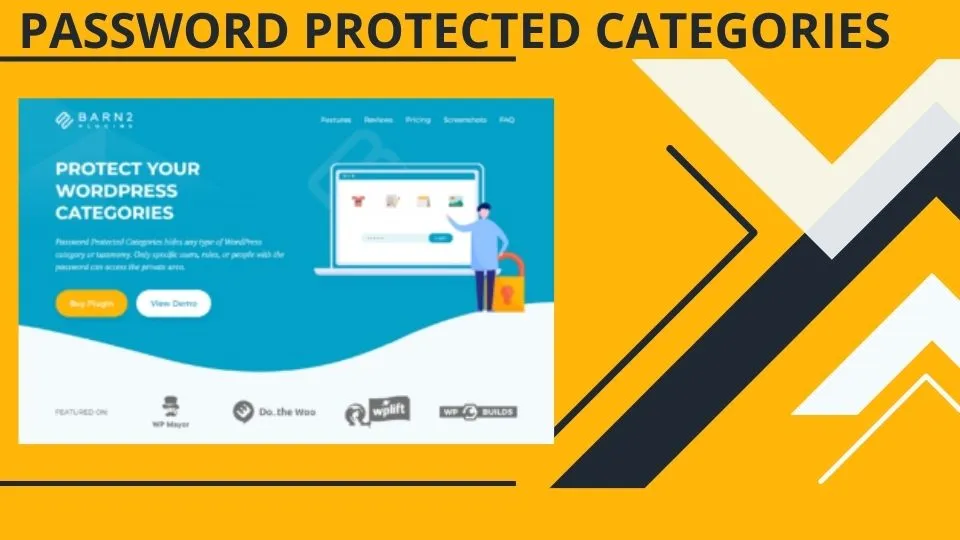
Barn2 plugins Password Protected Categories is a user-friendly WordPress plugin designed to give site owners the ability to protect entire categories of content using passwords. Unlike other solutions that only offer protection at the post or page level, this plugin allows you to secure every post within a chosen category with a single password, or multiple passwords if needed. This flexibility makes it ideal for a variety of applications, from business sites to membership-based communities.
Key Functionalities:
- Category-Level Protection: Apply a password to an entire category, automatically protecting all posts within that category.
- Customizable Access: Set up unique passwords for different categories or use multiple passwords for the same category, depending on your needs.
- Seamless WordPress Integration: Fully compatible with all WordPress themes, page builders, and other popular plugins.
- Efficient Content Management: Easily manage all protected categories from a central dashboard.
By using this plugin, you can ensure that only authorized users have access to specific content, creating a more secure and controlled environment on your WordPress site.
How Does It Work?
The plugin works by allowing you to assign passwords to specific categories in WordPress. Here’s a simplified explanation of the process:
- Select a Category: Choose which category or categories you want to protect.
- Set a Password: Assign a password to that category. You can create different passwords for different categories or use the same password for multiple categories.
- Configure Access Settings: Decide how users will access the protected content — through direct links, specific pages, or via the login form.
- Activate Protection: Once the settings are saved, all posts within the protected categories will require a password to view.
This straightforward process makes it easy for anyone, regardless of technical expertise, to secure their WordPress content effectively.
Why Is This Important?
Protecting categories with a password provides a higher level of security and flexibility than simply hiding posts or pages. It ensures that only those who have the correct password can view the content, adding an extra layer of security and control.
How to Use Barn2 plugins Password Protected Categories
Step-by-Step Setup Guide
Setting up Barn2 plugins Password Protected Categories is easy and can be done in just a few steps. Here’s a detailed guide to help you get started:
Step 1: Install the Plugin
- Download the Plugin: Download the Password Protected Categories plugin.
- Upload to WordPress: Log into your WordPress dashboard, navigate to “Plugins > Add New,” and upload the plugin file.
- Activate the Plugin: Once the plugin is uploaded, click “Activate” to enable it on your site.
Step 2: Configure Plugin Settings
- Access the Plugin Settings: Go to “Settings > Password Protected Categories” in your WordPress dashboard.
- Choose the Categories to Protect: Select the categories you want to protect. You can choose to protect multiple categories or just one.
- Set Passwords: Assign a unique password for each category or use the same password for multiple categories.
- Customize Access Options: Decide how users will access the protected content — via a login page, direct links, etc.
- Save Settings: Click “Save” to apply the changes.
Step 3: Customize Password Forms and Messages
- Edit Password Form Messages: Customize the messages that appear on the password form to match your site’s branding and tone.
- Style Your Forms: Use custom CSS to style the password forms and make them visually consistent with your website.
Step 4: Test the Protection
- Check Protected Categories: Visit the categories you have protected to ensure that the password form appears as expected.
- Test Passwords: Enter the passwords you have set to verify that they work correctly.
Advanced Configurations
- Set Multiple Passwords per Category: Use the plugin’s advanced settings to allow different passwords for the same category, enabling different user groups to access the same content with their unique passwords.
- Integration with WooCommerce: If you are running an online store, configure the plugin to protect WooCommerce categories, ensuring that only certain products are visible to specific users.
By following these steps, you will have a fully functional password-protected section on your WordPress website, ensuring that only authorized users can access your sensitive or exclusive content.

Key Features of Barn2 plugins Password Protected Categories
- Flexible Protection Options
- Protect Categories, Sub-Categories, and Tags: Secure entire sections of your WordPress site, including categories, sub-categories, and tags, providing comprehensive protection for your content.
- Customizable Password Access: Choose how and where the password form appears, whether on the category page itself or via a separate login page.
- User-Friendly Interface
- Intuitive Dashboard: Manage all settings and configurations from a single, easy-to-navigate dashboard, simplifying the process of securing your content.
- Quick Setup: Get started in minutes with a straightforward setup process that doesn’t require any technical knowledge.
- Seamless Integration with WordPress
- Compatible with All WordPress Themes: No need to worry about theme compatibility; the plugin works with any WordPress theme.
- Works with Popular Plugins: Integrates smoothly with popular plugins such as WooCommerce, WPML, and others, enhancing its versatility.
- Customizable Login Forms and Messages
- Brand-Consistent Forms: Customize the appearance of the password request forms to align with your site’s branding.
- Tailored Messaging: Edit messages to provide specific instructions or information to users attempting to access protected content.
- Advanced Access Control
- Multiple Passwords for Different Users: Set different passwords for the same category, allowing for tiered access based on user roles or membership levels.
- Password Expiry and Rotation: Set passwords to expire after a certain period or automatically rotate passwords for enhanced security.
- Detailed Analytics and Reporting
- Monitor Access Attempts: Track who is trying to access your protected content and how often.
- Generate Reports: Create detailed reports to understand user behavior and adjust your access control strategy accordingly.
- Mobile-Friendly and Fully Responsive
- Responsive Design: The plugin and its features are fully responsive, ensuring a seamless experience for users on any device.
- Optimized for Speed: Lightweight code ensures that the plugin does not slow down your website, providing a fast, efficient user experience.
These features combine to make Barn2 plugin Password Protected Categories a powerful and flexible solution for WordPress site owners looking to secure their content.
Use Cases: Who Can Benefit from Barn2’s Password Protected Categories?
- Business Websites
Businesses can use this plugin to protect sensitive information, internal documents, and resources. For example, a company might use it to restrict access to client contracts, employee handbooks, or private training materials, ensuring that only authorized personnel have access.
- Educational Institutions
Schools, colleges, and online educators can use the plugin to safeguard course materials, lecture notes, and other educational content. This ensures that only enrolled students or members of the institution can view and download these resources.
- E-Commerce Websites
Online stores can protect specific product categories, such as exclusive products for members or items on pre-launch. By controlling who has access to certain products, stores can create a sense of exclusivity and drive membership sign-ups or pre-orders.
- Membership Sites
Membership sites that offer exclusive content, such as premium articles, videos, or webinars, can use this plugin to control access based on membership levels. For instance, only Gold members might have access to certain categories, while Silver members can access a different set of categories.
- Community and Forum Sites
For community sites or forums, this plugin can restrict access to certain sections based on user roles or group memberships, ensuring that only relevant participants can engage in discussions or view content.
By offering a range of applications, Barn2’s Password Protected Categories proves to be a versatile tool that meets the needs of various WordPress users.
Advanced Tips for Maximizing Barn2’s Password Protected Categories
- Utilize Shortcodes for Customized Access
The plugin provides various shortcodes that allow you to customize how and where the password forms appear on your site. Use these shortcodes to create custom login pages, add password forms to specific posts or pages, or even integrate password fields into your theme’s header or footer.
- Integrate with Membership Plugins for Enhanced Functionality
For advanced user management, consider integrating Barn2’s Password Protected Categories with a membership plugin like MemberPress or Restrict Content Pro. This will allow you to create a more comprehensive membership site with tiered access levels, subscription management, and more.
- Monitor User Activity and Adjust Access Controls
Use the plugin’s analytics and reporting features to monitor user activity. If you notice suspicious access attempts or patterns, consider tightening security by changing passwords, adjusting access levels, or setting shorter password expiration times.
- Leverage Multisite Functionality
If you run a WordPress multisite network, use the plugin to protect categories across multiple sites. This is especially useful for educational institutions, large businesses, or any organization managing multiple WordPress sites from a single installation.
- Regularly Update and Optimize for SEO
Ensure that your protected content is still optimized for SEO by allowing search engines to index the protected pages. You can use the plugin’s settings to control how search engines handle these pages, ensuring that you don’t lose valuable SEO traffic.
By applying these advanced tips, you can maximize the value and functionality of Barn2’s Password Protected Categories on your WordPress site.
Conclusion
Protecting your WordPress content has never been easier or more effective than with Barn2’s Password Protected Categories. This plugin offers a comprehensive solution for anyone looking to control access to their content, whether you are running a business site, an educational portal, an e-commerce store, or a community forum.
With features such as flexible protection options, customizable access controls, seamless integration with other plugins, and advanced analytics, Barn2’s Password Protected Categories stands out as a top choice for WordPress site owners.
Don’t let unauthorized access compromise the security and exclusivity of your content. Take control today with Barn2’s Password Protected Categories and provide a more secure, user-friendly experience on your WordPress site.
Ready to get started? Buy Now and secure your content today!
FAQs
- How does the Barn2 Password Protected Categories plugin work?
The plugin allows you to protect entire categories of content in WordPress using passwords. Once a category is protected, all posts within it require a password to view. - Can I use different passwords for different users?
Yes, the plugin supports multiple passwords for the same category, enabling you to provide different users or groups with unique passwords. - Is the plugin compatible with other popular WordPress plugins?
Absolutely! Barn2’s Password Protected Categories integrates seamlessly with popular plugins like WooCommerce, WPML, MemberPress, and more. - Does it affect my website’s SEO?
The plugin is designed to be SEO-friendly. You can configure settings to ensure search engines can still index your protected pages without exposing the content. - Can I use this plugin on a WordPress multisite network?
Yes, the plugin is fully compatible with WordPress multisite installations, allowing you to protect categories across multiple sites. - What kind of support is available?
Barn2 offers comprehensive support, including detailed documentation, a support ticket system, and access to a user community for sharing tips and advice.
By addressing these common questions, the FAQ section ensures that potential users have all the information they need to make an informed decision about using Barn2’s Password Protected Categories.
